Sample rigging and height safety registers: PDF and Excel
These are real GearReg reports made with demo data. Yours carry your own logo and business details. Download them and compare them with what you send out now.
Rigging register (PDF)
The equipment register is the document a client or head contractor usually asks for: every item, where it is kept, its status, its tag and the date it is in service until.
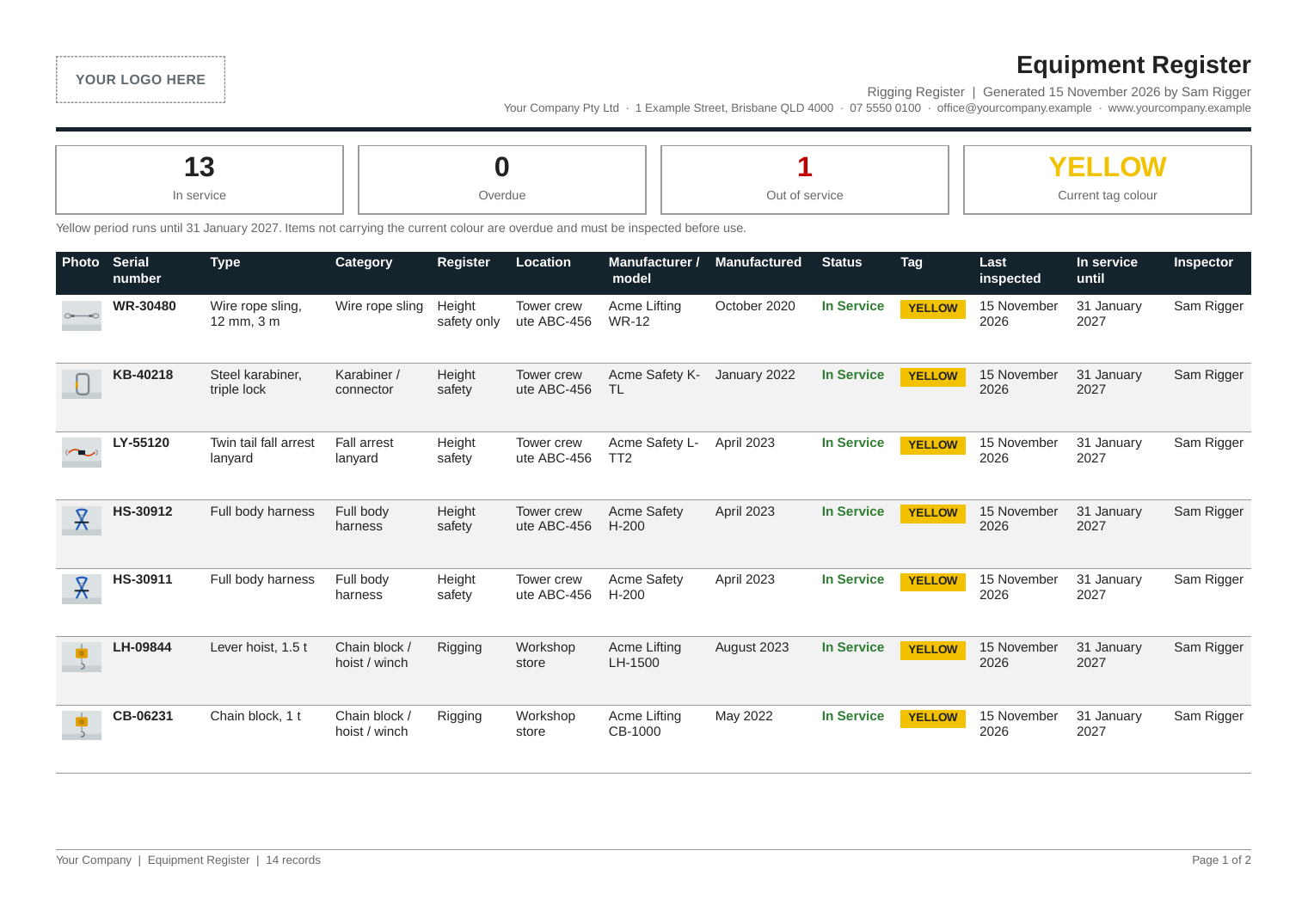
- Your business on every pageLogo, registered name, business number, address and contact details.
- Every item accounted forSerial number, make, model, category, location, status, tag and the date it is in service until.
- Rigging and height safety labelledHeight safety gear is marked, including items flagged height safety only, which are not for lifting.
- A photo of each itemThe photo taken at its last inspection sits beside its serial number.
Lifting equipment register (Excel)
One workbook with a sheet for the equipment register, the inspection history, the out of service register and the tag guide. Filter and sort it, or send it to a client who wants a spreadsheet.
| Serial number | Type | Register | Location | Status | Tag | Last inspected | In service until |
|---|---|---|---|---|---|---|---|
| WR-30480 | Wire rope sling, 12 mm, 3 m | Height safety only | Tower crew ute ABC-456 | In Service | YELLOW | 15 Nov 2026 | 31 Jan 2027 |
| KB-40218 | Steel karabiner, triple lock | Height safety | Tower crew ute ABC-456 | In Service | YELLOW | 15 Nov 2026 | 31 Jan 2027 |
| HS-30912 | Full body harness | Height safety | Tower crew ute ABC-456 | In Service | YELLOW | 15 Nov 2026 | 31 Jan 2027 |
| CB-06231 | Chain block, 1 t | Rigging | Workshop store | In Service | YELLOW | 15 Nov 2026 | 31 Jan 2027 |
| RS-77161 | Round sling, 3 t, 4 m | Rigging | Crane C-04, 60 t | Out of Service | 15 Nov 2026 | ||
| CS-20418 | Chain sling, 2 leg, 8 mm | Rigging | Truck XYZ-123 | In Service | YELLOW | 15 Nov 2026 | 31 Jan 2027 |
Some of the columns and rows from the Equipment Register sheet of the sample file. Demo data.
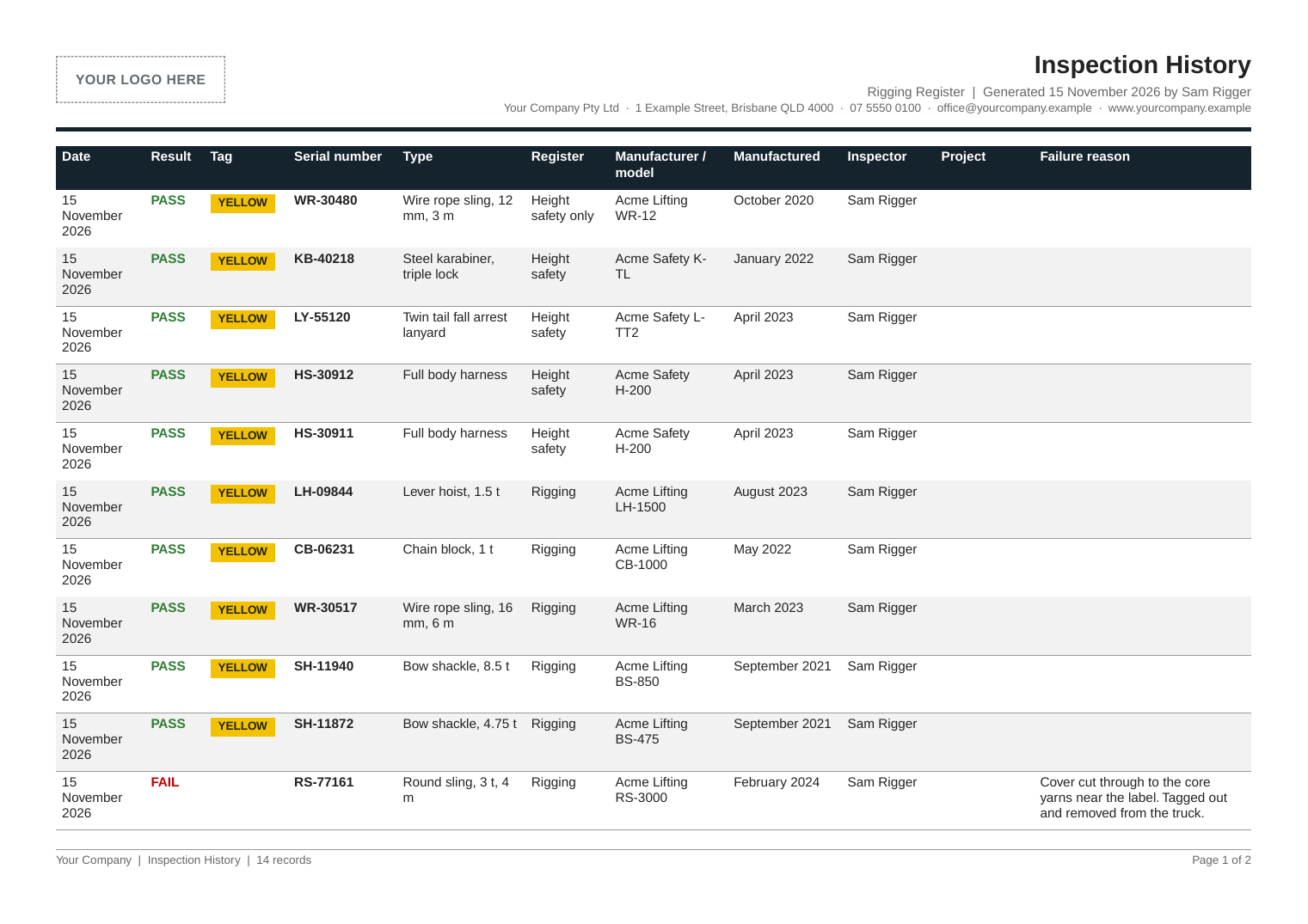
Inspection history
Each inspection shows the date, the result, the tag fitted and the inspector who made the pass or fail decision. The AI never makes it.
Out of service register
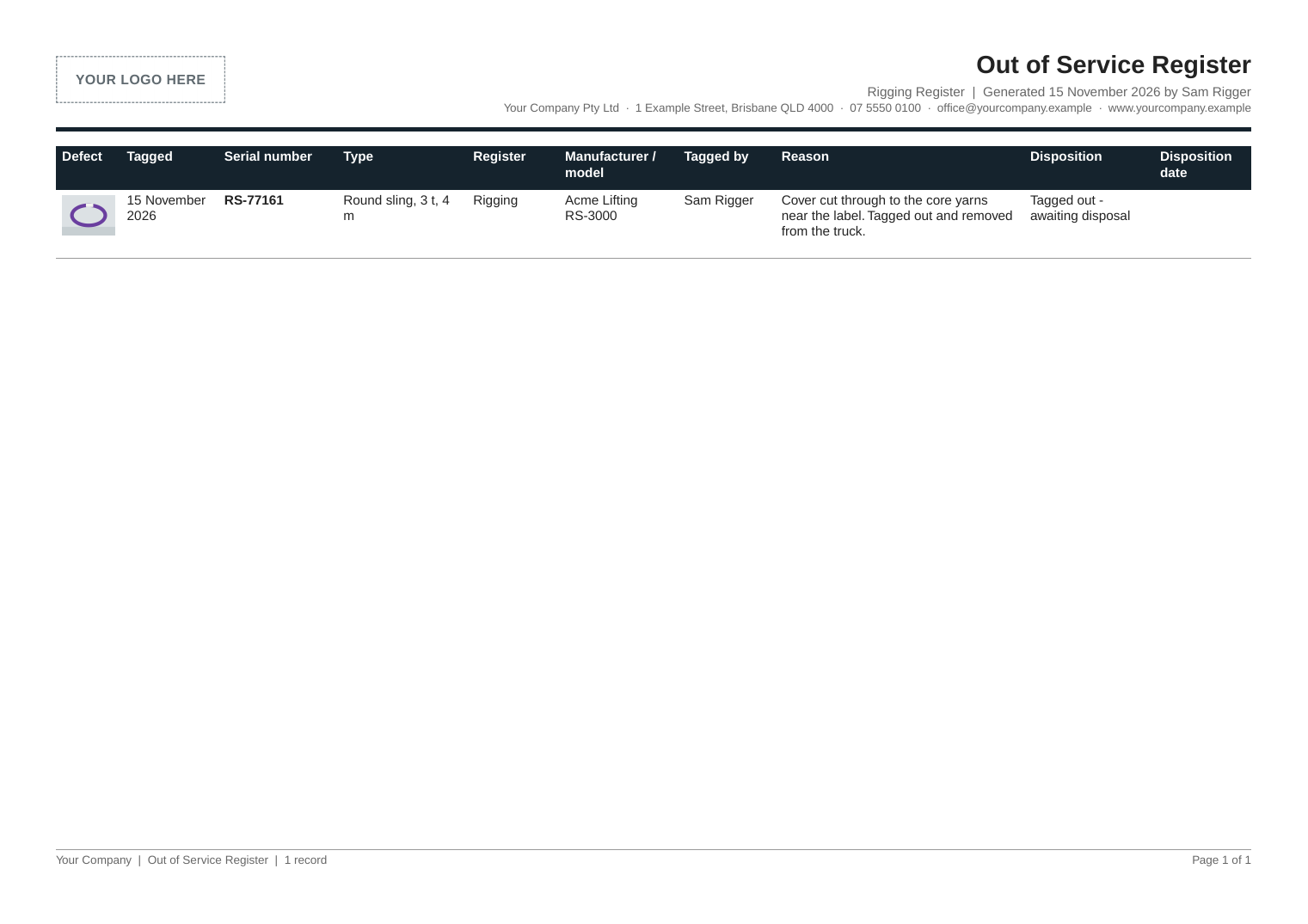
Failed gear stays on record: what failed, why, who tagged it out, a photo of the defect and what happened to it afterwards.
Easy to keep up to date
The reports are only as good as the register behind them. In GearReg the register updates itself each time someone inspects an item.
- No retypingThe inspection on the phone is the record. There is no paper sheet to copy into a spreadsheet later.
- Always currentDownload the register on the day a client asks and it shows the gear as it stands that day.
- Overdue gear in viewOverdue gear is counted at the top of the report and listed by vehicle, crane or store in the app.
Put your own logo on it
GearReg is free at the start of the roll-out. Upload your logo at setup and your reports carry it, in your colours, from the first inspection.
GearReg gives you the records. Check what your client, your regulator and the manufacturer require.