Rigging and height safety registers your clients will accept
GearReg keeps your inspection register up to date from a phone. The AI reads the label, your competent person decides pass or fail, and you get a PDF or Excel register with your logo on it, ready for a client or an auditor. Free at the start of the roll-out.
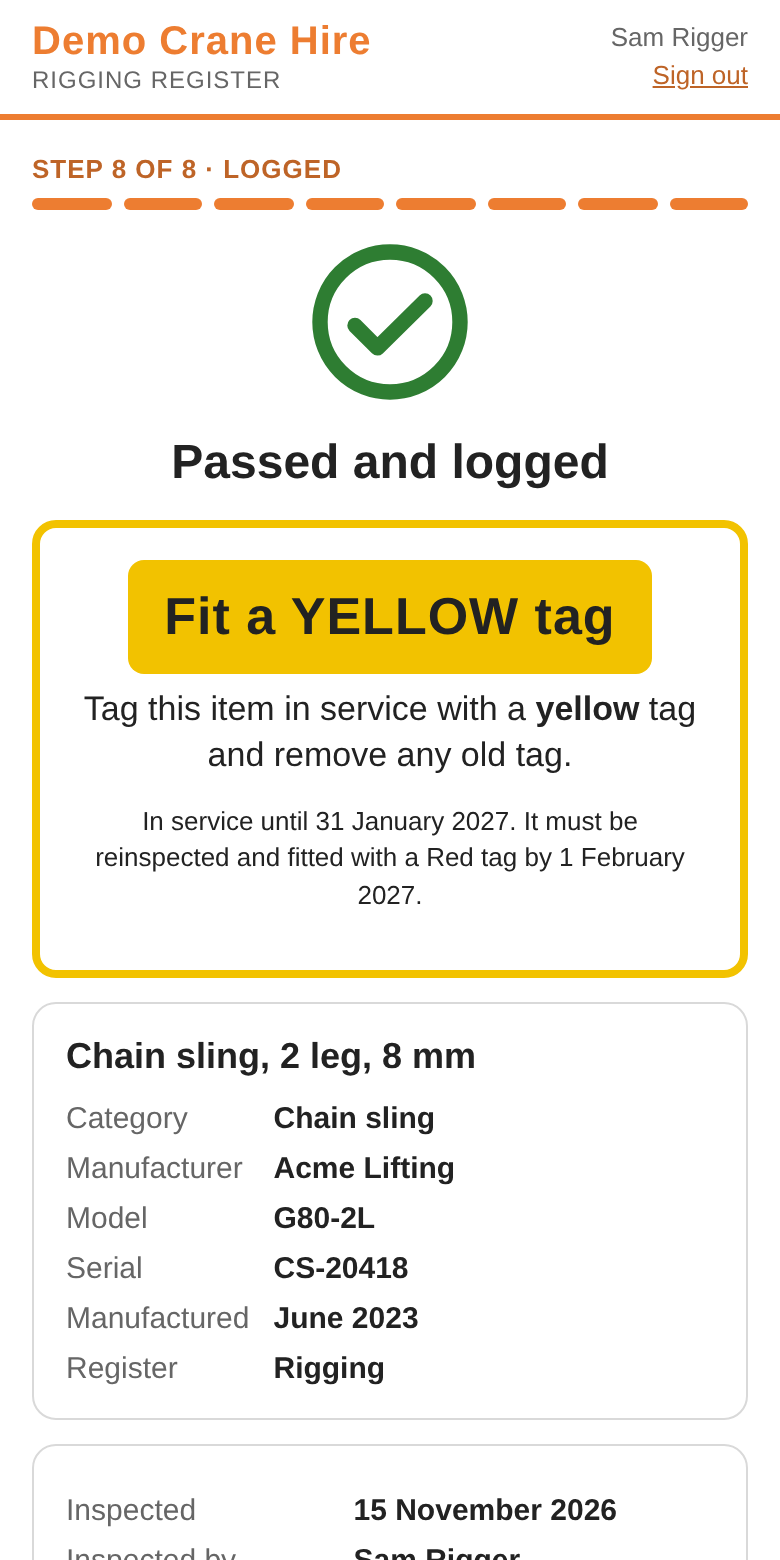
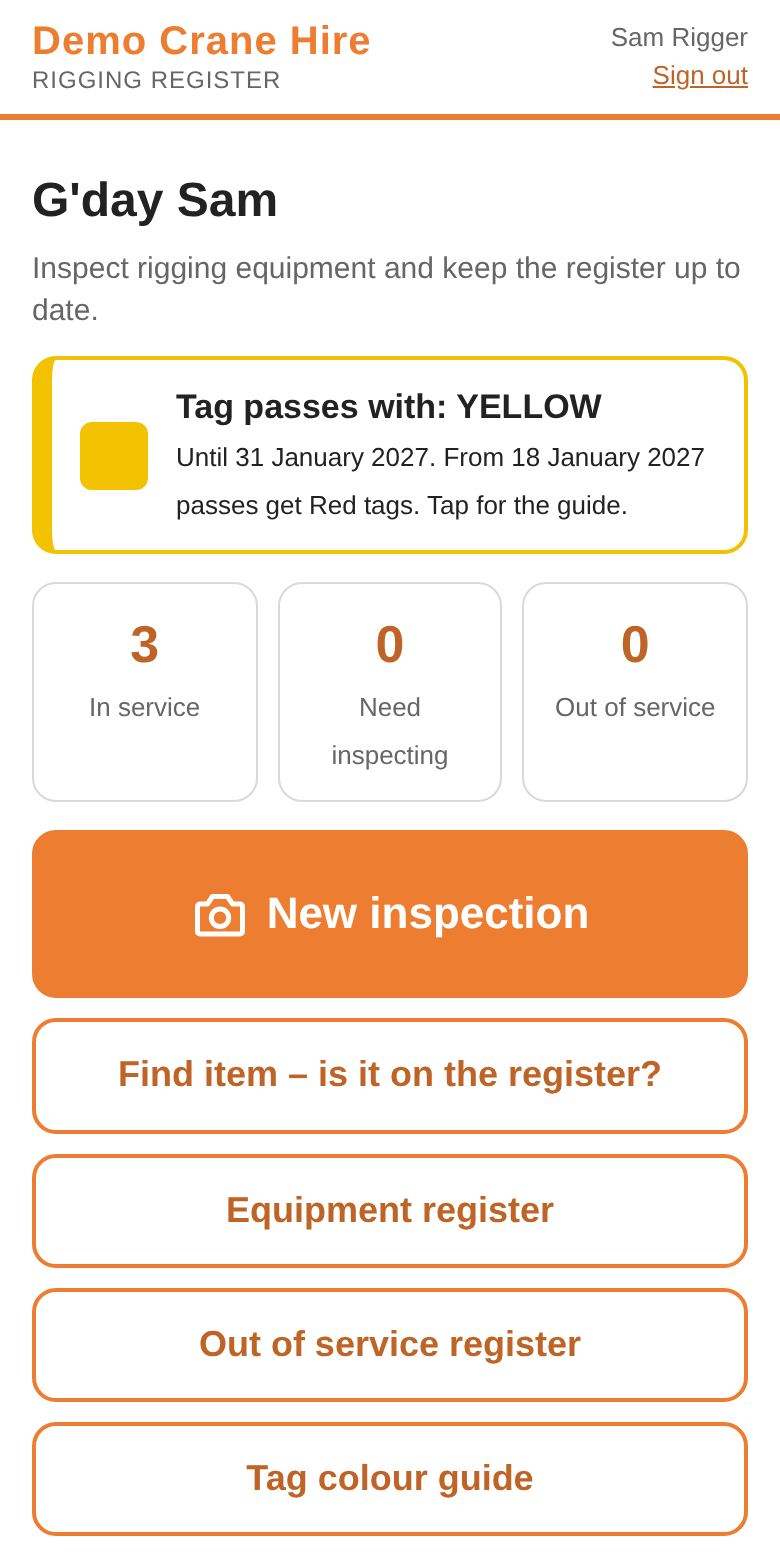
Quarterly colour tags: red, green, blue, yellow (RGBY)
The app works out the tag, including the last days of a quarter, when a passed item should get next quarter's colour. Your site's months may differ; you choose the month red starts.
Australian accounts start on six-monthly inspections. Switch to quarterly colour tags, calendar quarters or dated tags if your sites use them.
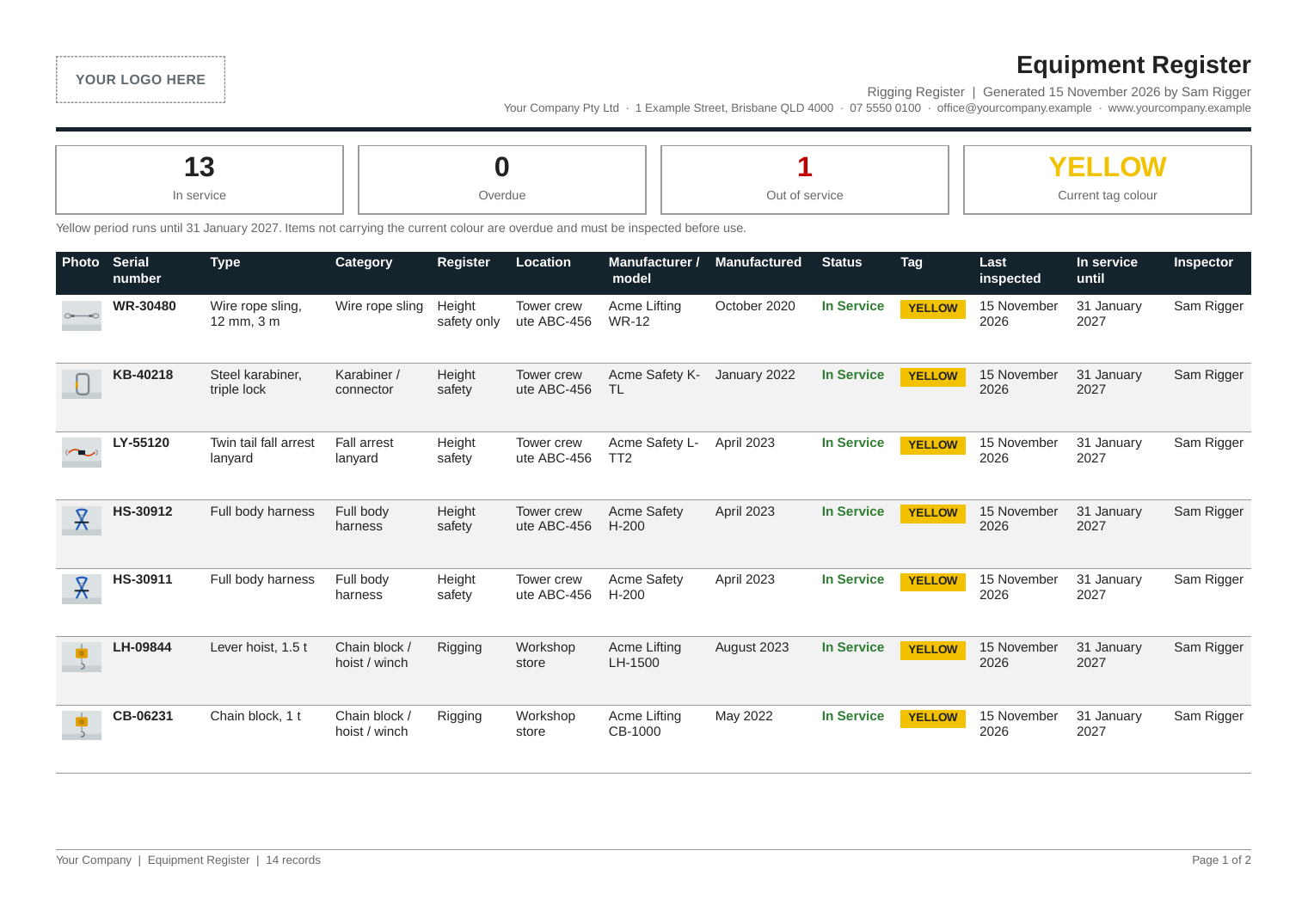
Documents you can hand to a client
Every inspection goes straight onto the register. Download it when someone asks, with your logo and business details on every page.
- Your brandingYour logo, registered name, business number and contact details on every PDF and Excel report.
- Three registersThe equipment register, the inspection history and the out of service register.
- Who decided, and whenEach inspection names the inspector, the date, the result and the tag fitted.
- In date at a glanceEach item shows whether it is in service, overdue or out of service, and where it is kept.
One inspection, four steps
A known item takes two photos and a decision. A new item takes three.
Photograph it
The whole item, the serial label and the model label. Photos upload while you take the next one.
The AI reads the label
Serial number, make, model and manufacture date go into the form. Gear already on your register is recognised by its serial.
Your inspector decides
The checklist for that type of gear is on screen. A person presses pass or fail. Gear past the service life you set cannot be passed.
Tag it
The app names the tag to fit and the date it runs to. A fail goes on the out of service register with a photo of the defect.
See what has not been inspected
Record where gear is kept: a vehicle, a crane, a container, a store. The owner sees each location and what is in date, due soon, overdue or out of service.
- Find itemScan or type a serial on site to see if it is in date before it is used.
- Import from ExcelBring in your list of vehicles, cranes and gear. Nothing is saved until you have checked the summary.
- Reports with your logoPDF, Excel and CSV exports of the register, the inspection history and the out of service register.
- Your own rulesYour categories, checklists, service lives and tag system. Any change to tag rules has to be confirmed by an administrator.
Rigging and height safety, kept apart
A sling that has been used as an anchor should never lift again. GearReg keeps the two registers separate and labels the item everywhere it appears.
- Sorted for youHarnesses, lanyards and connectors go to height safety. Slings, shackles and hoists go to rigging.
- Height safety onlyOne tick moves a single item across and labels it not for lifting. Only an administrator can move it back.
- Different intervalsGive height safety gear its own inspection interval, or keep one rule for everything.
- Labelled everywhereIn the app, on Find item, and in the PDF, Excel and CSV exports.
For head contractors
Ask every subcontractor to put the rigging gear they bring to your project on the register, under your site's rules.
Each company keeps its own account. You see the gear inspected for your site and nothing else, and subcontractors never see each other's gear.
- Invite by codeEach code works once and expires. Cancel one, or remove a subcontractor, and access stops at once.
- Site checkScan a label at the gate. See who owns it, its status and its tag, or that it is not on the site register.
- Your rules, locked inSubcontractors inspect to your site's tag system, whatever they use elsewhere.
Inspection intervals by country
At sign-up GearReg shows your country's inspection regime and starts you on the recommended one. Change it if your site is stricter. If you set an interval longer than the app's starting figure for your country, it warns you before you confirm.
| Country | Recommended at sign-up | Other option |
|---|---|---|
| Australia | Every 6 months (AS/NZS 1891.4 minimum) | Every 3 months with RGBY colour tags (common on sites) |
| New Zealand | Every 6 months (AS/NZS 1891.4 minimum) | Every 3 months with RGBY colour tags |
| United Kingdom | Every 6 months (BS 8437 and LOLER) | Every 3 months (BS 8437 arduous conditions) |
| Ireland | Every 12 months (EN 365) | Every 6 months (heavy use) |
| United States | Every 12 months (ANSI Z359.2 / ASME B30.9) | Every 3 months (quarterly, severe service) |
| Canada | Every 12 months (CSA Z259) | Every 6 months |
These are starting points, not legal advice. Check your regulator, your site rules and the manufacturer's instructions, and follow whichever is strictest. Other countries can set a custom regime.
One account, more registers
Rigging and height safety
Slings, shackles, hoists, harnesses, lanyards and the rest of the lifting and fall-protection kit.
Electrical test and tag
Test readings and tag dates for leads, tools and appliances, on the same login.
Calibration
Certificates and due dates for instruments that have to be sent away.
Questions owners ask
- We already have a spreadsheet. Why change?
- Keep it as your starting point. Import your gear and locations from Excel, and export back to Excel whenever you like.
- Will my crew use it?
- There is nothing to install from an app store. They open a link, take the photos and press pass or fail. The app tells them which tag to fit.
- Is AI allowed to do this?
- The AI only reads labels and fills in the form. A competent person makes every pass or fail decision and is named on the record.
- Is my data safe?
- Each company's register is separate. No other company can see your gear, photos or users. Photos are sent to our AI provider only to read the label.
- What happens to my records if I leave?
- Export your register and inspection history to PDF, Excel or CSV at any time. Email us to close the account and have your data deleted.
- What will it cost later?
- That is not decided. It is free now, and pricing will be published on this site before anything is charged.
- Does it work without signal?
- Not yet. The app needs a connection to save an inspection. Offline inspections are planned.
- Does it make me compliant?
- No software can do that for you. GearReg helps you keep gear in date and gives you the records a client or an auditor asks for.
Free at the start of the roll-out
GearReg is free while we roll it out in Australia. Email us and we will send a sign-up link and an access code. Set up your company, add your logo and run your first inspections.